
Tower Rush demo controls
- Find the FUN balance
Use the amount shown in your own session. Changing the stake changes how many credits go into the next round.
- Press Build
The first accepted Build starts the round. After a floor lands, read the current return before pressing Build again.
- Choose Cashout
An accepted Cashout ends the round at the displayed amount. The next Build starts a new round.
The first close-up shows the stake selector with −, +, ×2 and All In. The first two adjust the selected stake, ×2 doubles the selection, and All In selects the available balance subject to the game’s limit. Those controls change the stake before a round. They do not double an existing Cashout. The numbers in the controls are examples from different rounds.
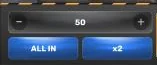 Set your stake
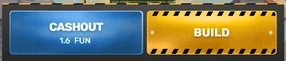 Collect or build again
If the official game is unavailable
When the FUN balance and Build button appear, the Galaxsys demo is ready. If the game stays on the loading screen, select Try local practice to play a round inside this guide.
Local practice starts with 100 points and costs 5 points per round. Its artwork, odds and balance are separate from Galaxsys. You can build, collect points and start again.
What happens to demo winnings?
FUN stays in the demo. The two numbers in the mobile capture belong to the same session. Closing and reopening the game can start a fresh session.
For a quick example, take 10 FUN at a total multiplier of 2.4×. The gross cashout is 24 FUN. Of that, 10 FUN was the initial stake. Try a different amount.
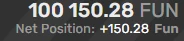
Net Position The change since it began.
Tower Rush demo mode and a cash account
| What changes | In the Galaxsys demo |
|---|---|
| Starting the game | Open the browser player. No sign-up or deposit is required. |
| A winning round | A settled Cashout adds FUN to the displayed balance. |
| Ending a session | You can close the player. A later session can start with a new balance. |
| Withdrawing or transferring | There is no bank, UPI or cash payment step for FUN. |
For a first demo run, follow a single bet from Build through settlement. Note your opening FUN total, play one round and compare the closing total with Net Position. In local practice the corresponding values are labelled points. See the recorded practice example.
Tower Rush demo on a phone
The game opens over this page. Use Back to guide above the game to return to the same place. On a small screen, portrait gives the tower more vertical space. In landscape the controls stay inside the game frame.
If the loading screen sticks, tap Reload the demo below the game. This starts a new connection. Wait for an active round to settle before reloading.
If the Tower Rush demo stays blank
The window opens but the game does not load
Wait for the game and its balance to appear. If the frame stays empty, choose Reload the demo. Local practice is also available in the same window. A network or browser that blocks third-party game content can prevent loading.
The screen stopped during an open round
Wait for the displayed state to settle. Reopening may start another demo session. A frozen animation alone does not establish that a Cashout was accepted.
Do I need to pay or enter an OTP?
No. Neither is part of this free demo. Close a page that asks for a UPI PIN, a payment or an OTP to release FUN credits.